
Download Total Extractor – Free, Secure Archive Extraction Tool
Overview
Total Extractor is a lightweight, cross‑platform archive extraction utility designed for users who need a reliable way to open compressed files without hassle. Whether you are dealing with everyday formats such as ZIP, RAR, and 7Z or more niche containers like BIN, ISO, TAR, and BZIP2, Total Extractor promises a single‑click solution that works on Windows, macOS, Android, and iOS. The app’s core strength lies in its simplicity: double‑click an archive and the contents appear in the same folder, while password‑protected archives are supported as long as you supply the correct key. Although the free version comes with ads and the paid upgrade removes them for a modest fee, the feature set mirrors many premium tools on the market. Users who value a straightforward UI and solid extraction speed will find Total Extractor a convenient addition to their toolkit, while power users may compare it against open‑source alternatives before deciding on a purchase.
Key Features & Compatibility
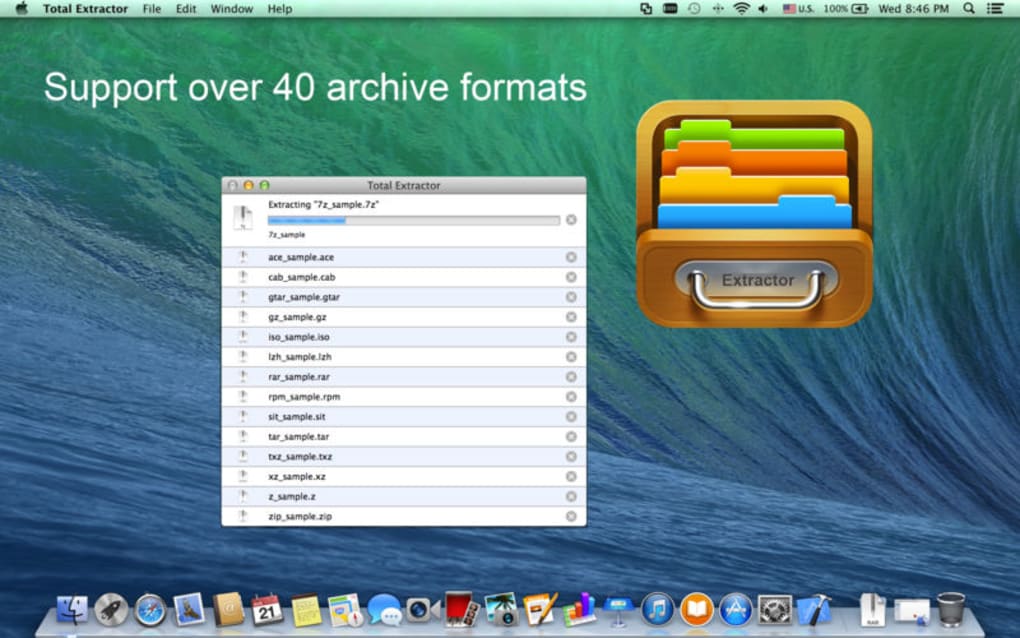
- Support for over 30 archive formats, including ZIP, RAR, 7Z, TAR, GZ, BZ2, ISO, and BIN.
- One‑click extraction – simply double‑click the file and the app creates a folder with all contents.
- Handles password‑protected archives (user must provide the password).
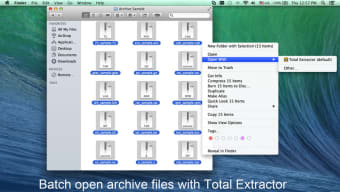
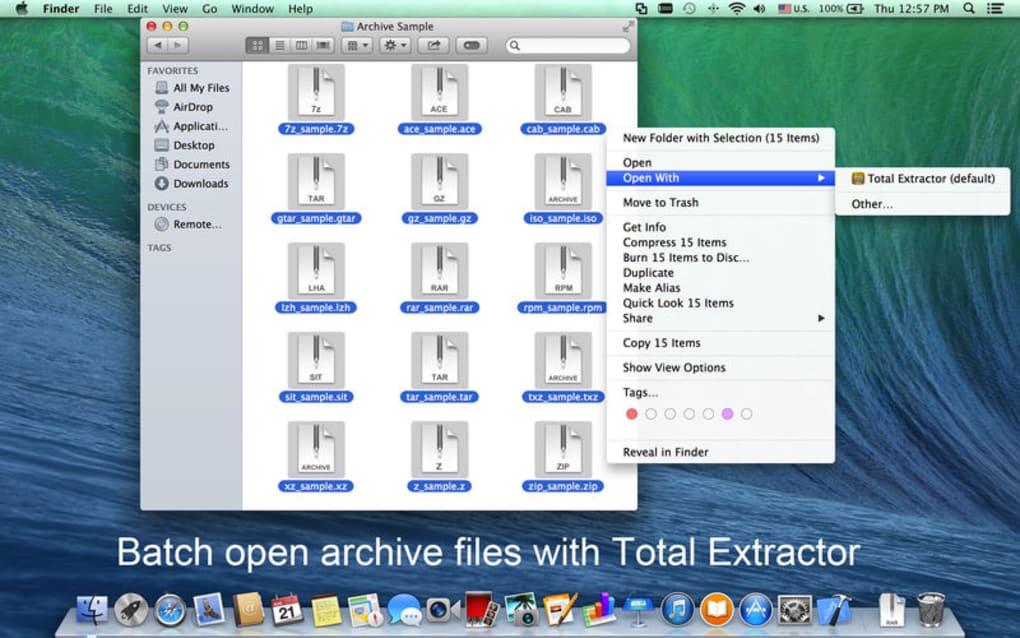
- Drag‑and‑drop support on desktop platforms for quick batch processing.
- Integration with file managers on Windows and macOS for context‑menu extraction.
- Automatic detection of archive type, eliminating the need to select a format manually.
- Built‑in preview for image and text files inside archives.
- Lightweight installer – under 15 MB, minimal system impact.
Supported Operating Systems: Windows 10/11, macOS 12+ (Catalina onward), Android 8.0+, iOS 13+. The app is built with native components for each platform, ensuring smooth performance whether you’re extracting a 2 GB ISO on a desktop or a ZIP file on a mobile device.
While the feature list reads like a checklist for any modern extractor, it’s worth noting that Total Extractor does not offer advanced archive editing (e.g., adding files to an existing archive) or encryption capabilities. Users who need those functions will likely turn to dedicated tools like WinRAR or 7‑Zip. Nonetheless, for pure extraction tasks, the app delivers speed and reliability that rival many free alternatives.
Installation, Usage & Real‑World Pros/Cons
Installation Steps
- Visit the official Total Extractor website or your platform’s app store.
- Click Download for Windows/macOS or Install on Android/iOS.
- Run the installer (Windows) or drag the app to your Applications folder (macOS).
- Accept the license agreement and choose the default installation path.
- Launch Total Extractor; the first run will prompt you to enable file‑type associations.
How to Extract an Archive
After installation, extraction is straightforward. Locate the archive in File Explorer (Windows) or Finder (macOS), then double‑click the file. Total Extractor automatically creates a folder with the same name and populates it with the extracted contents. For password‑protected files, a dialog appears asking for the password; once entered, extraction proceeds as normal. On mobile devices, tap the archive in your file manager, select “Open with Total Extractor,” and the app will unpack the files to a temporary location that you can share or move.
Pros & Cons
- Pros
- Broad format support, covering both common and obscure archive types.
- One‑click extraction reduces the learning curve for beginners.
- Cross‑platform availability ensures a consistent experience on desktop and mobile.
- Lightweight footprint – does not consume excessive RAM or disk space.
- Ad‑free experience available for a modest one‑time fee.
- Cons
- Lacks advanced features such as archive creation, editing, or encryption.
- Free version displays ads, which can be intrusive during batch operations.
- Some users report extraction failures with large EXE installers or certain multi‑part archives.
- Settings are limited; you cannot customize extraction paths or overwrite behavior.
- Competes with fully free tools (e.g., 7‑Zip, The Unarchiver) that offer comparable functionality.
FAQ & Conclusion
Is Total Extractor truly free, or do I need to pay for full functionality?
The base version is free but includes advertisements. A one‑time purchase removes ads and provides a smoother experience, but all core extraction features remain available in the free edition.
Can Total Extractor handle encrypted RAR or 7Z archives?
Yes, the app can open password‑protected archives of any supported format as long as you supply the correct password. It does not, however, offer encryption tools for creating new protected archives.
What should I do if an extraction fails for a large EXE installer?
First, ensure the file is not corrupted by re‑downloading it. If the issue persists, try extracting with an alternative tool like 7‑Zip. Total Extractor’s limited error‑handling for certain executable containers is a known drawback.
Does the app integrate with the right‑click context menu on Windows?
During the first launch, Total Extractor asks to register file‑type associations. Once enabled, you can right‑click any archive and choose “Extract with Total Extractor” for quick access.
Is my data safe? Does the app collect any personal information?
Total Extractor processes files locally; it does not upload your archives to the cloud. The only data transmitted is optional usage telemetry, which can be disabled in the settings.
In summary, Total Extractor offers a clean, cross‑platform way to unpack a wide variety of compressed files with minimal effort. Its one‑click workflow and decent performance make it a solid choice for casual users who need a reliable extractor on both desktop and mobile devices. However, the lack of advanced archive management, occasional extraction glitches, and the presence of ads in the free version mean that power users may find better value in free, open‑source alternatives. If you prioritize simplicity and are comfortable paying a small fee to eliminate ads, Total Extractor can serve as a dependable addition to your software arsenal.
Ready to try it? Click the button below to download the latest version for your operating system and start extracting files securely today.







